> ## Documentation Index
> Fetch the complete documentation index at: https://docs.tinfoil.sh/llms.txt
> Use this file to discover all available pages before exploring further.
# Getting a Tinfoil API key
> Step-by-step guide for generating a Tinfoil API key
### Step 1: Navigate to Homepage
Start by visiting [https://tinfoil.sh/](https://tinfoil.sh/) and click the **"Get Started"** button in the top right corner.
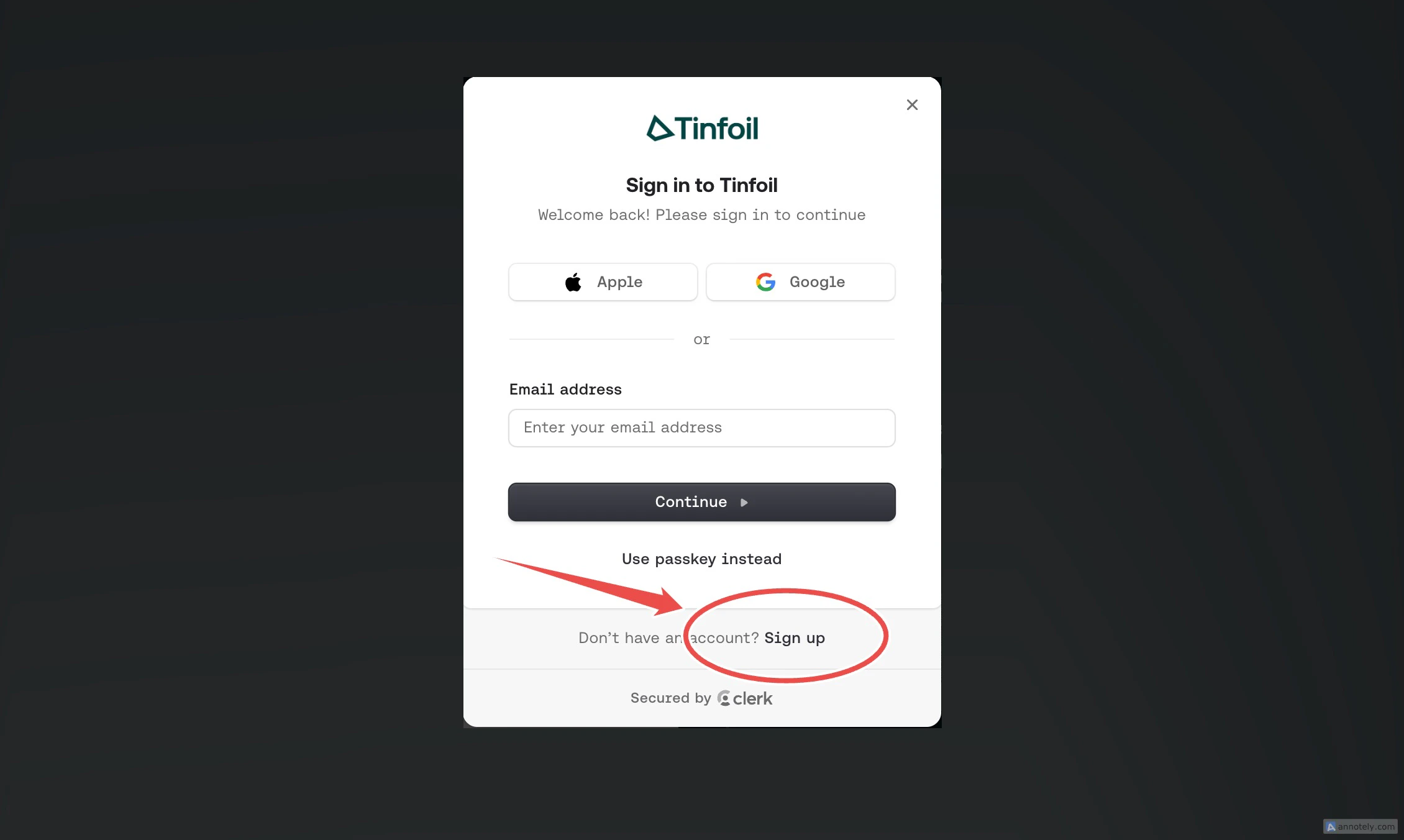
 ### Step 2: Log In or Sign Up
Enter your credentials to log in to your account. If you don't have an account yet, click "Sign up" to create one or use one of the social connections.
### Step 2: Log In or Sign Up
Enter your credentials to log in to your account. If you don't have an account yet, click "Sign up" to create one or use one of the social connections.
 ### Step 3: Access Your Dashboard
Once logged in, click the **"Dashboard"** button in the top right corner.
### Step 3: Access Your Dashboard
Once logged in, click the **"Dashboard"** button in the top right corner.
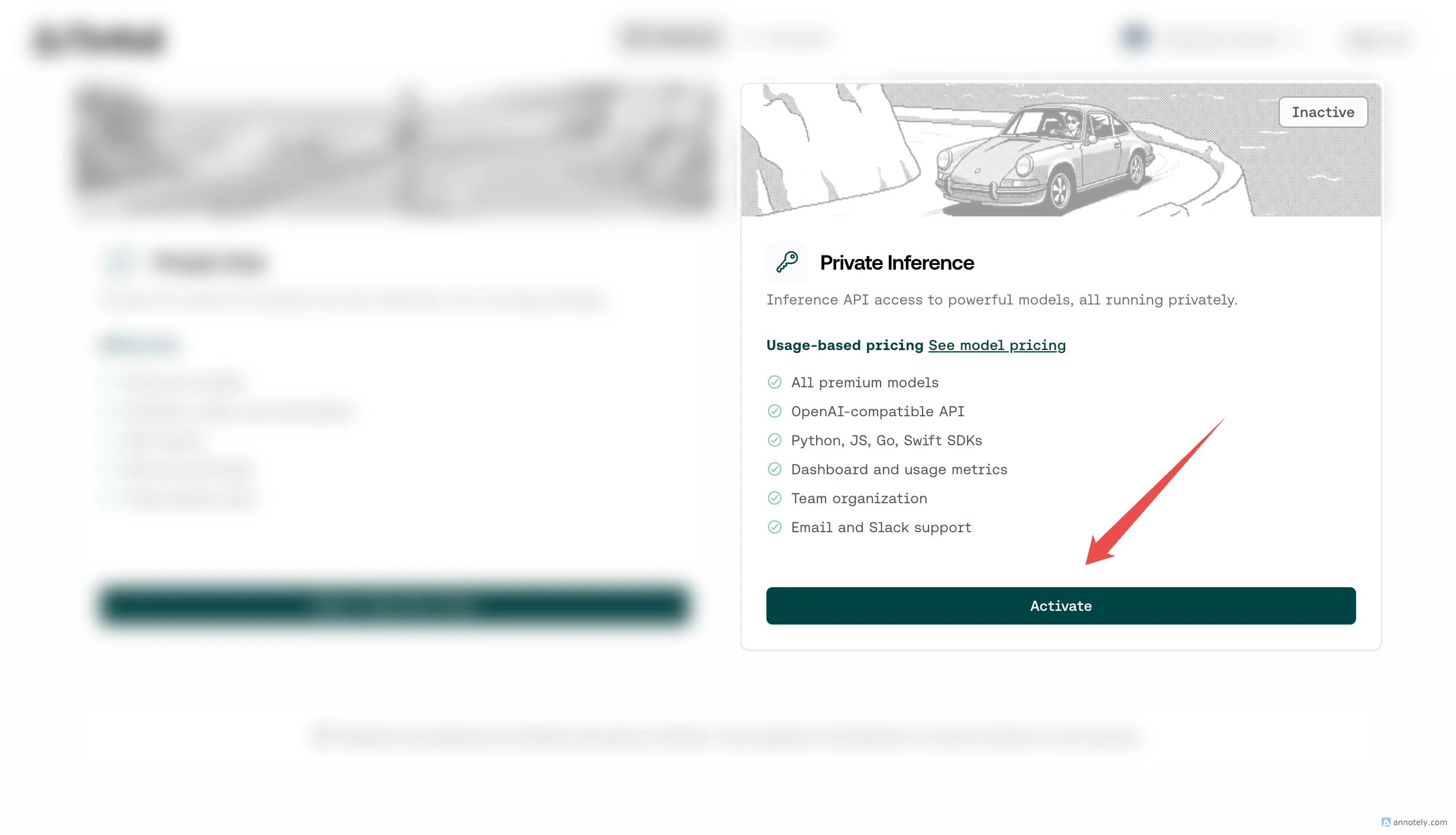
 ### Step 4: Activate Private Inference
Find the **Private Inference** product card and click the **"Activate"** button to activate your API subscription.
### Step 4: Activate Private Inference
Find the **Private Inference** product card and click the **"Activate"** button to activate your API subscription.
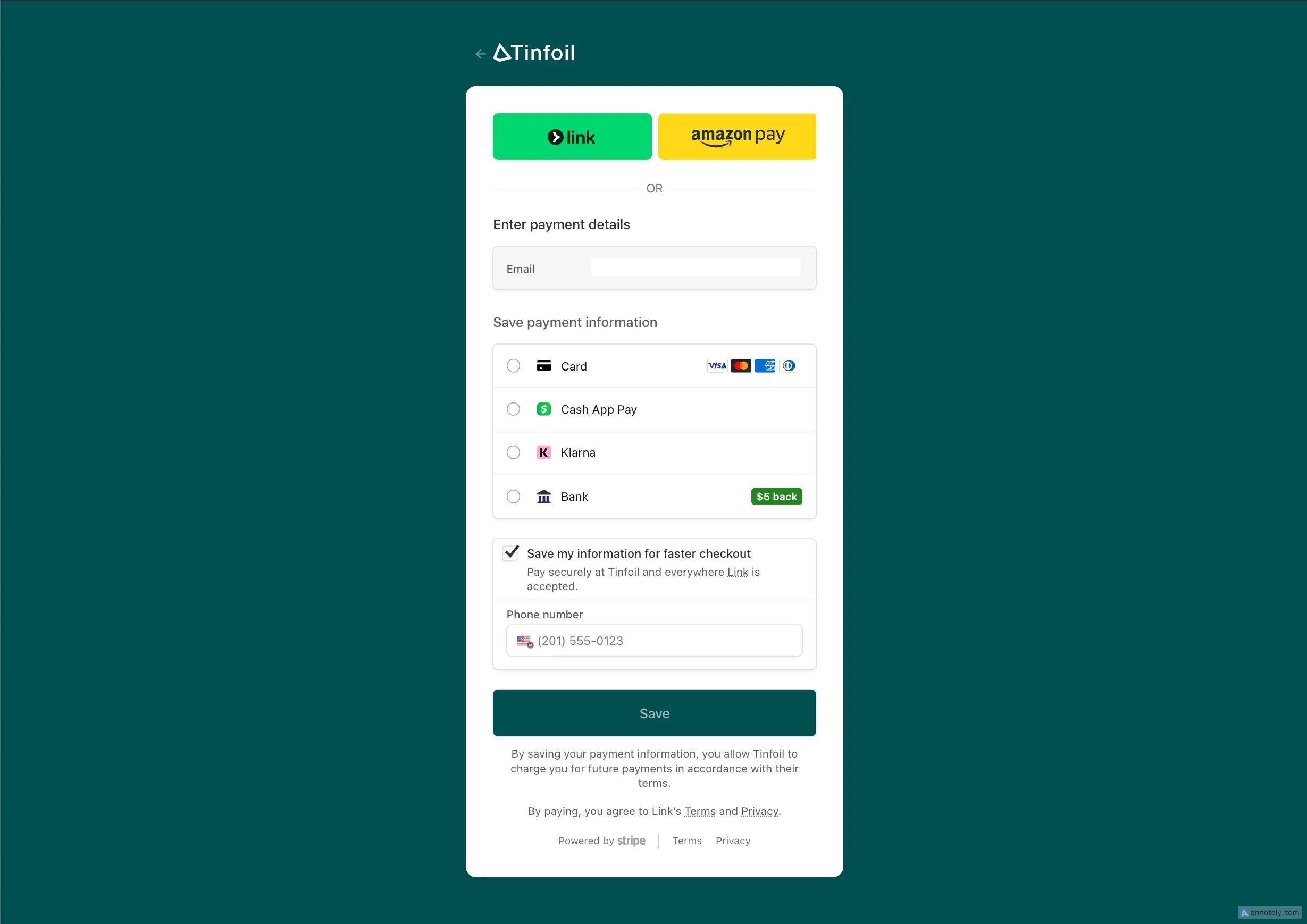
 ### Step 5: API Checkout
Complete the checkout by entering your payment details. You're only charged based on usage.
### Step 5: API Checkout
Complete the checkout by entering your payment details. You're only charged based on usage.
 ### Step 6: Create a New API Key
After completing checkout, you'll be taken back to the dashboard. Click the **"API Keys"** tab in the top navigation bar to go to the API key management page.
Use descriptive names like "Production", "Development", or "Mobile App" to easily identify your keys later.
### Step 6: Create a New API Key
After completing checkout, you'll be taken back to the dashboard. Click the **"API Keys"** tab in the top navigation bar to go to the API key management page.
Use descriptive names like "Production", "Development", or "Mobile App" to easily identify your keys later.
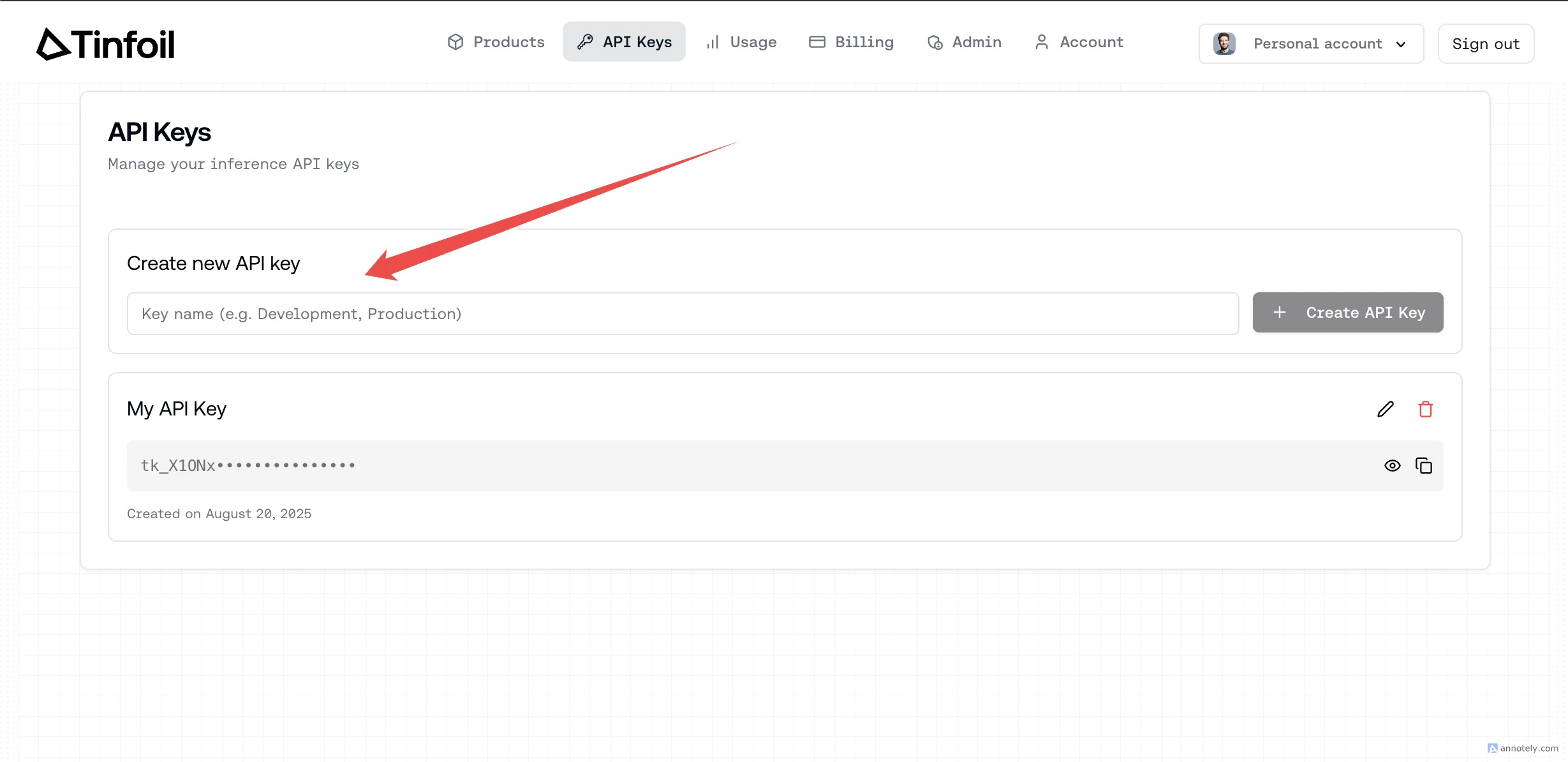 ### Step 7: Name and Create Your Key
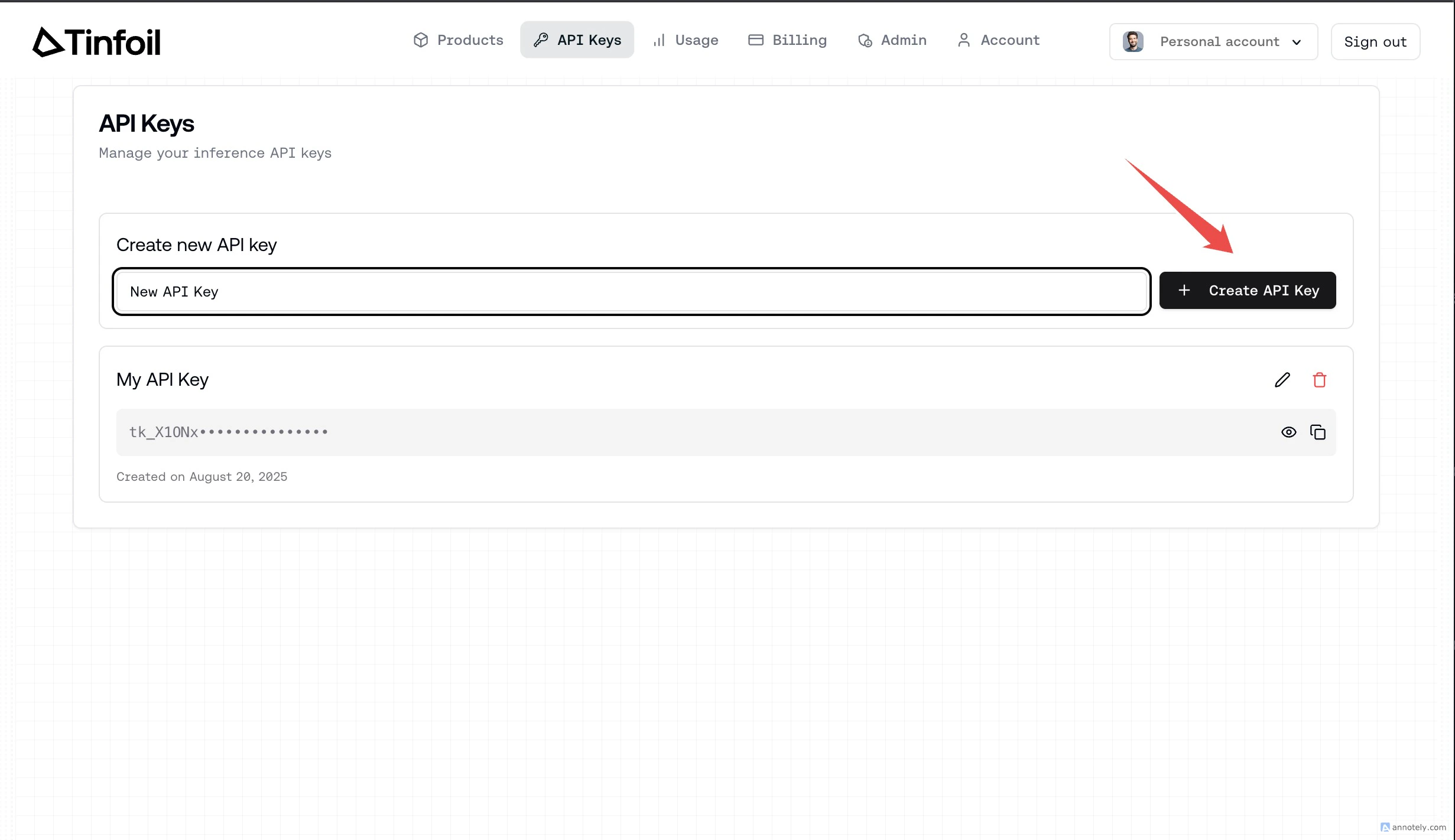
Type a name for your key and click the **"Create API Key"** button.
### Step 7: Name and Create Your Key
Type a name for your key and click the **"Create API Key"** button.
 ### Step 8: Copy Your API Key
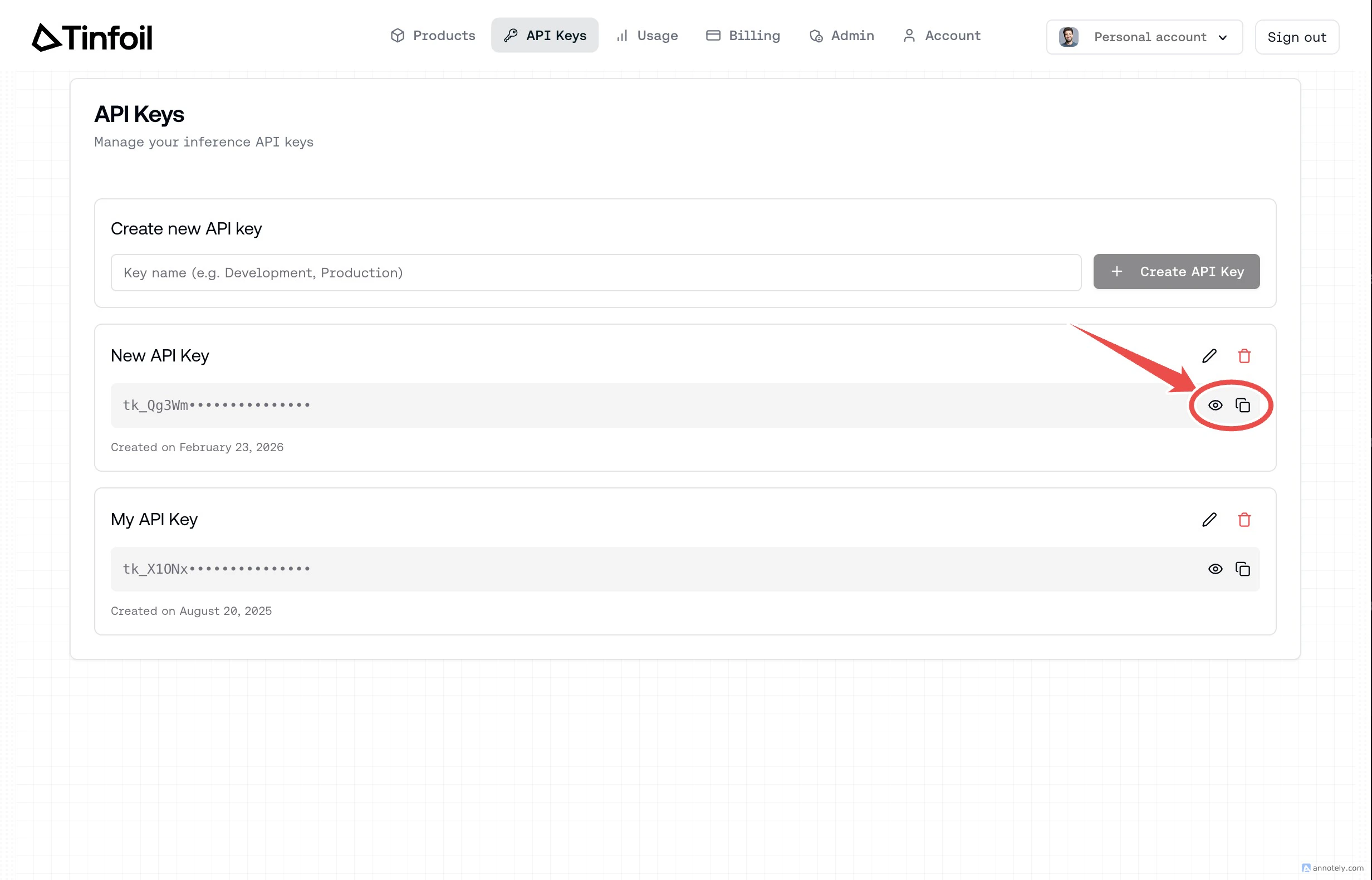
Your new API key will appear in the list. Click the **copy** button to copy it, or the **eye** button to reveal the full key.
### Step 8: Copy Your API Key
Your new API key will appear in the list. Click the **copy** button to copy it, or the **eye** button to reveal the full key.
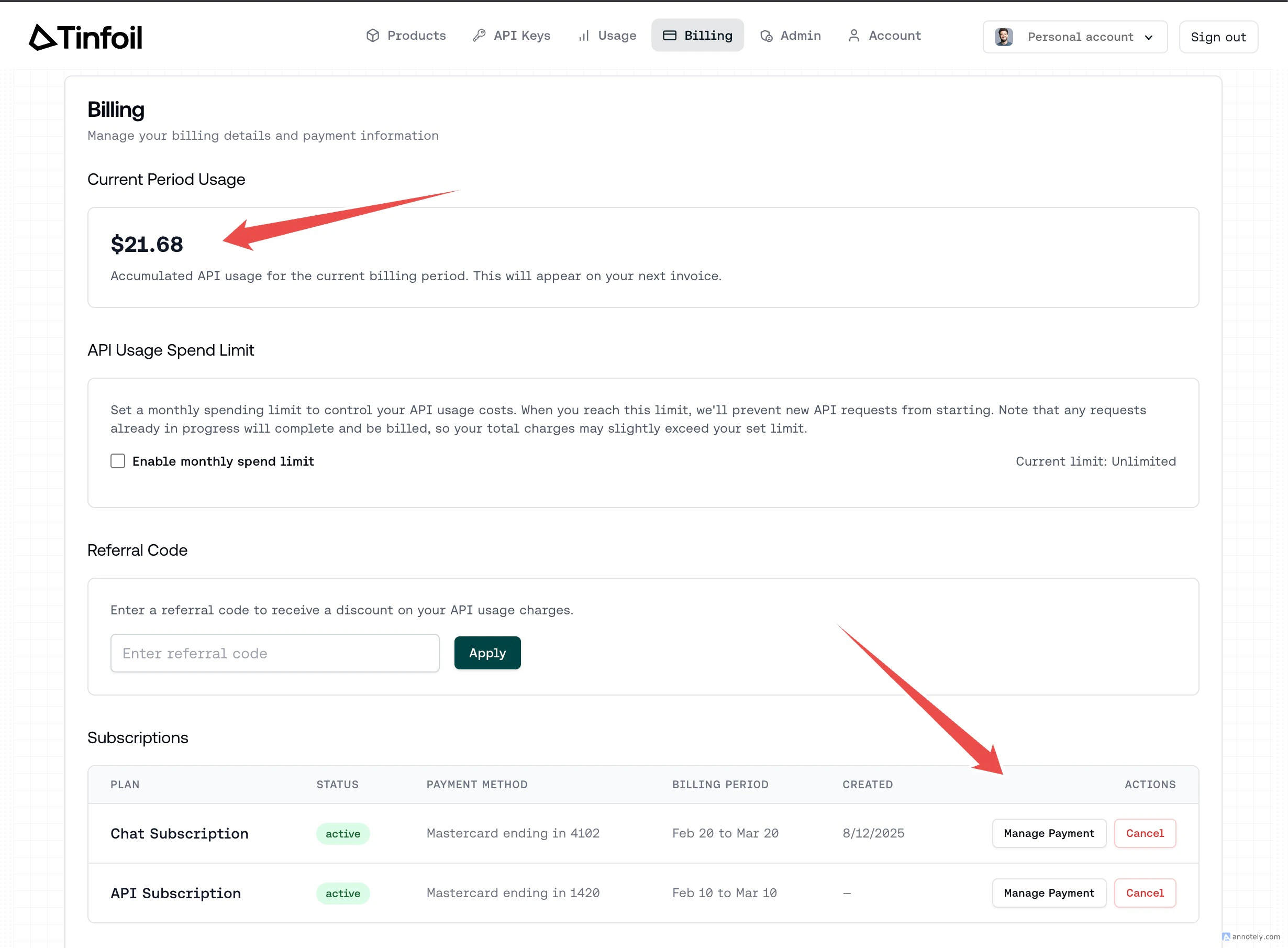
 ### Step 9: Manage Billing
Navigate to the **Billing** tab to view your current usage, set a monthly spend limit, or manage your subscriptions.
### Step 9: Manage Billing
Navigate to the **Billing** tab to view your current usage, set a monthly spend limit, or manage your subscriptions.