> ## Documentation Index
> Fetch the complete documentation index at: https://docs.tinfoil.sh/llms.txt
> Use this file to discover all available pages before exploring further.
# Getting a Tinfoil admin key
> Step-by-step guide for generating Tinfoil Admin API key for administrative operations
### Step 1: Access Your Dashboard
Log into your Tinfoil account and click the **"Dashboard"** button in the top right corner.
 ### Step 2: Navigate to Admin Tab
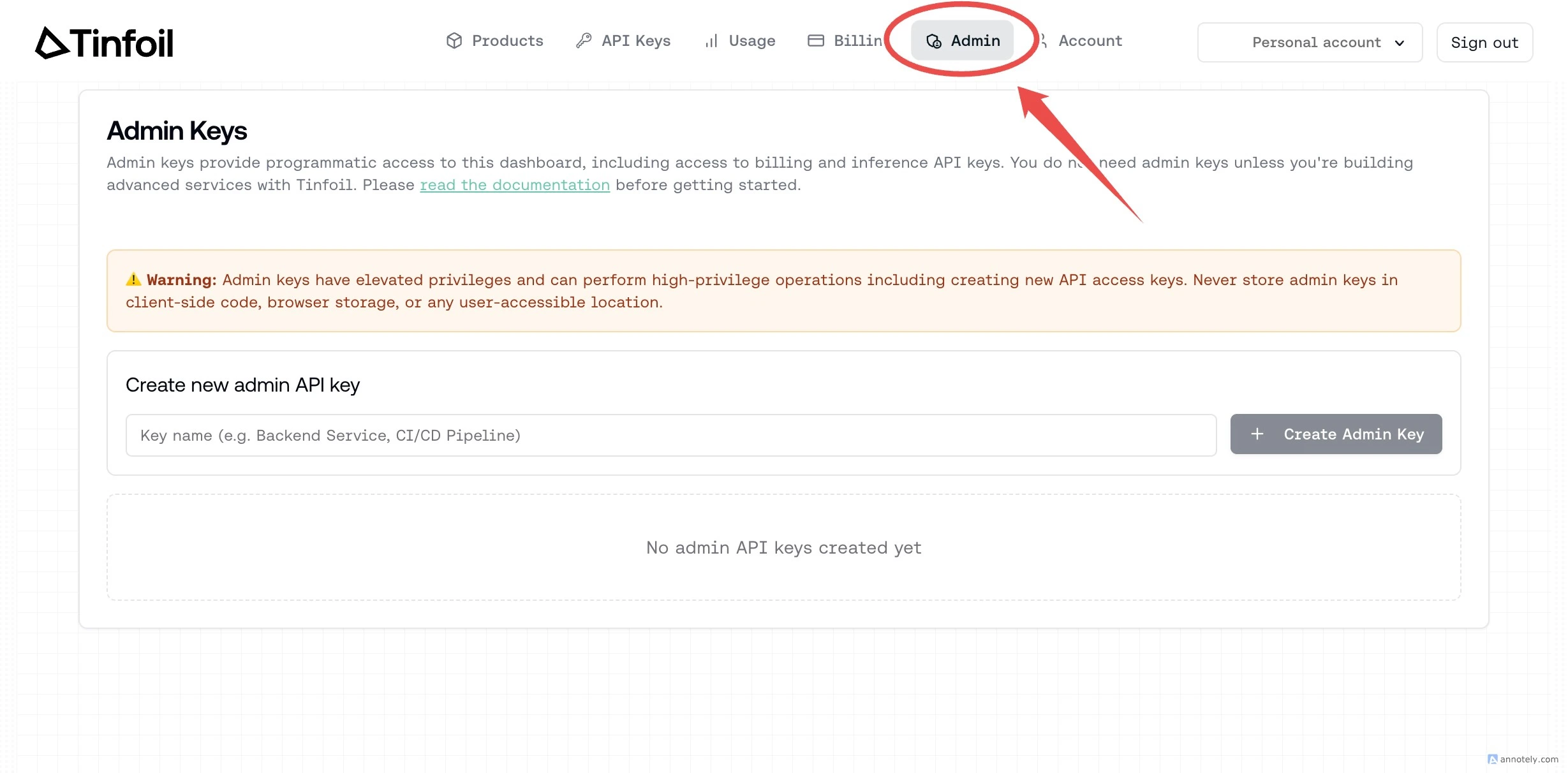
Click on the **"Admin"** tab in the dashboard navigation to access the admin key management page.
### Step 2: Navigate to Admin Tab
Click on the **"Admin"** tab in the dashboard navigation to access the admin key management page.
 ### Step 3: Name Your Admin Key
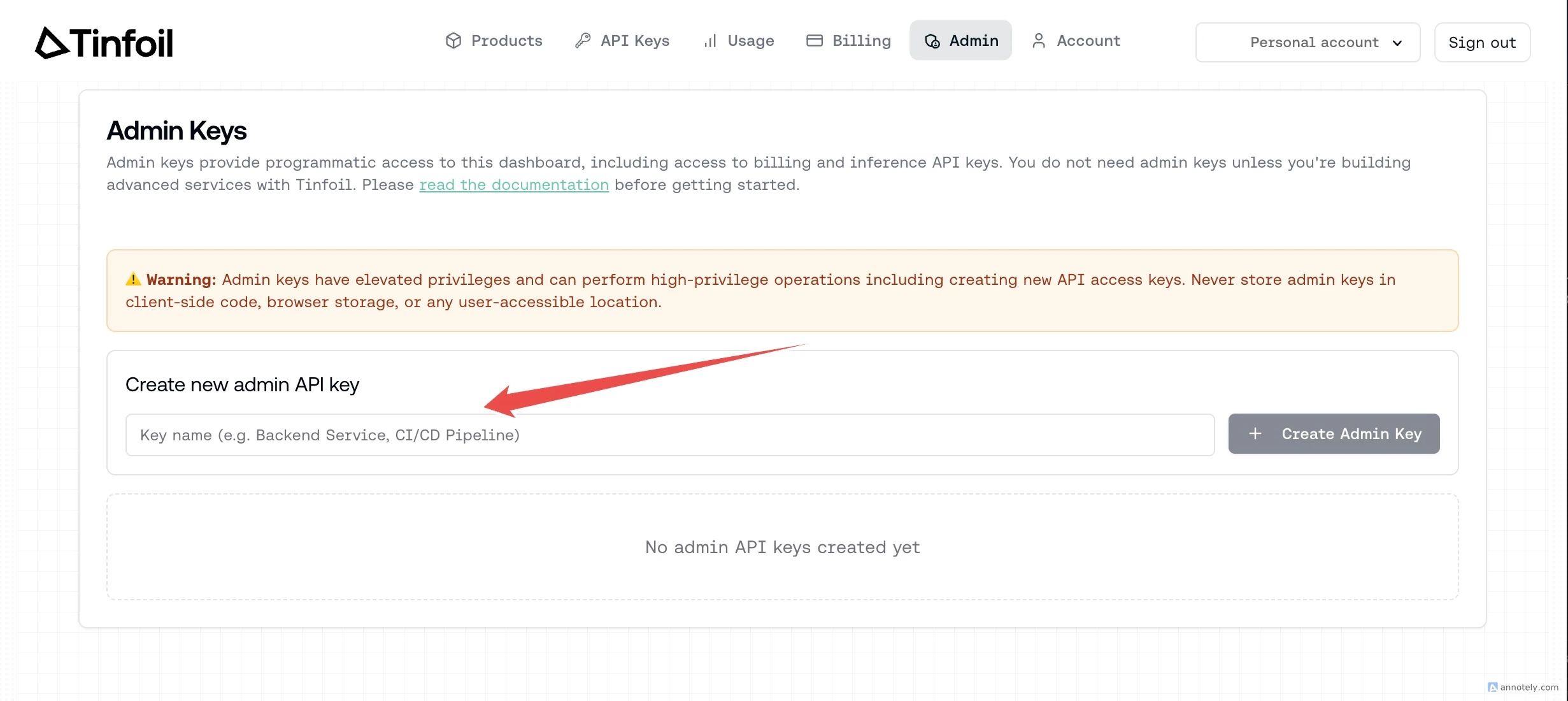
Enter a name in the **"Key name"** field under **"Create new admin API key"**.
### Step 3: Name Your Admin Key
Enter a name in the **"Key name"** field under **"Create new admin API key"**.
 ### Step 4: Create Admin Key
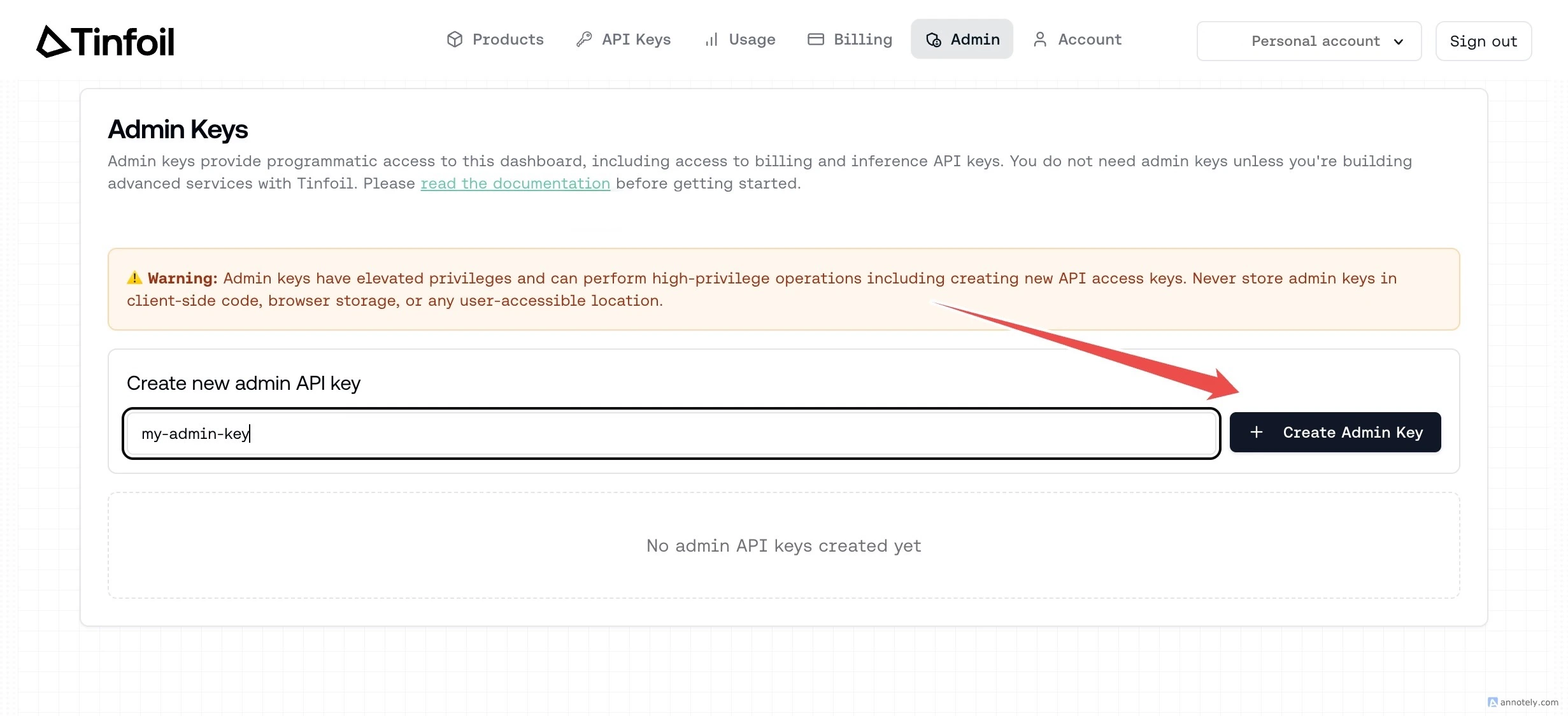
Click the **"Create Admin Key"** button to generate your new admin API key.
Admin keys provide programmatic access to organization settings, including managing API keys, setting rate limits, and modifying billing configuration.
Do not share admin keys or expose them in browsers, client-side code, or public repositories.
Admin keys are automatically revoked when the creator is removed from the organization or demoted from admin.
### Step 4: Create Admin Key
Click the **"Create Admin Key"** button to generate your new admin API key.
Admin keys provide programmatic access to organization settings, including managing API keys, setting rate limits, and modifying billing configuration.
Do not share admin keys or expose them in browsers, client-side code, or public repositories.
Admin keys are automatically revoked when the creator is removed from the organization or demoted from admin.
 ### Step 5: Copy Your Admin Key
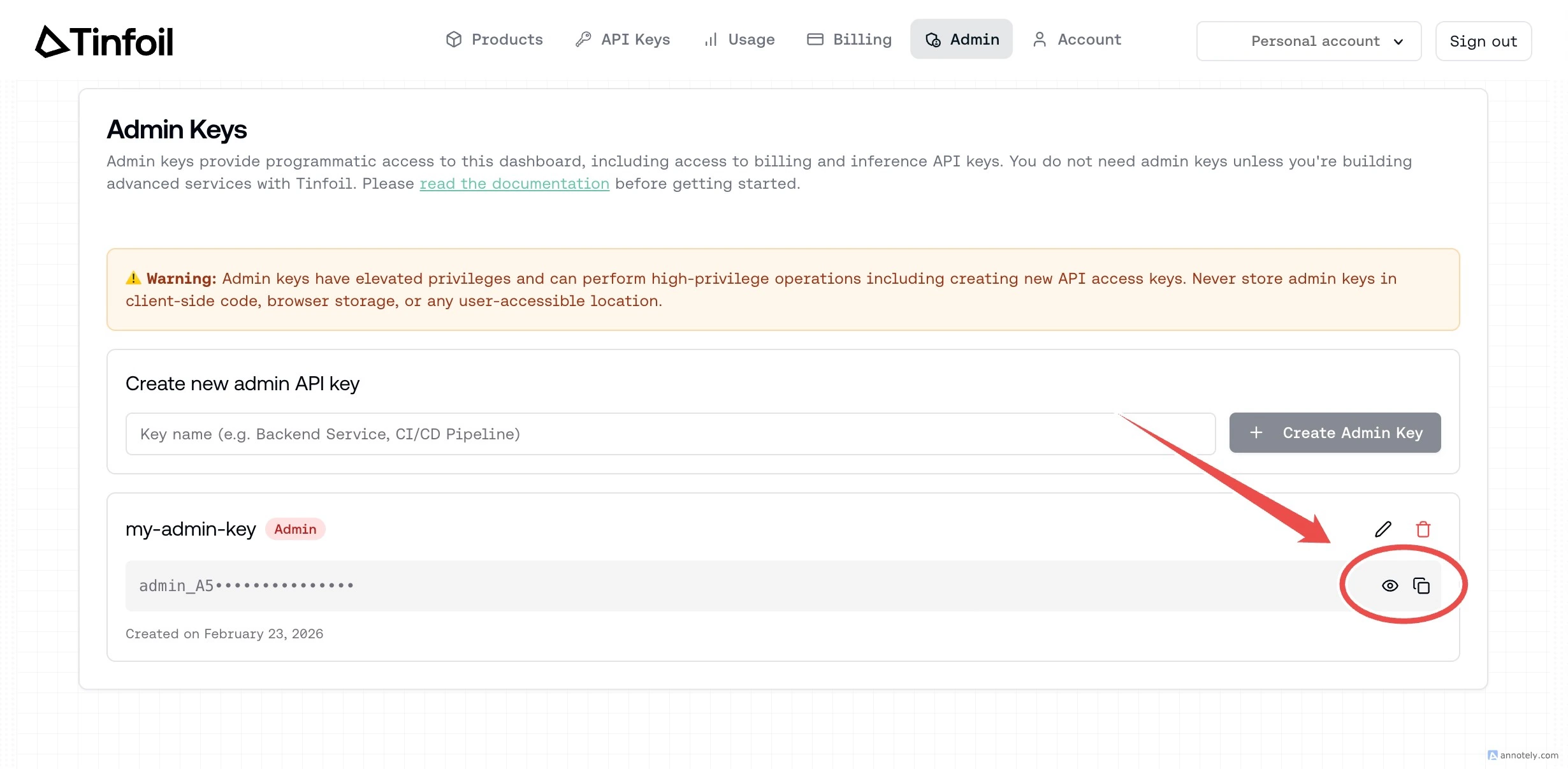
Your new admin key will appear in the list. Click the **copy** button to copy it, or the **eye** button to reveal the full key.
### Step 5: Copy Your Admin Key
Your new admin key will appear in the list. Click the **copy** button to copy it, or the **eye** button to reveal the full key.
 ### Step 6: Test in Postman (Optional)
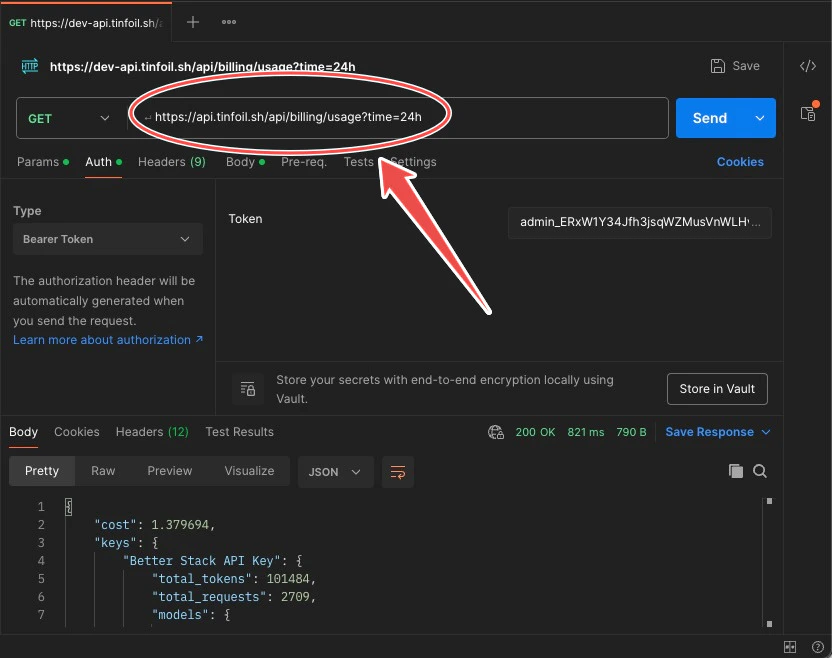
You can test your admin key in Postman or any API client. Enter the API endpoint URL, for example:
```
GET https://api.tinfoil.sh/api/billing/usage?time=24h
```
### Step 6: Test in Postman (Optional)
You can test your admin key in Postman or any API client. Enter the API endpoint URL, for example:
```
GET https://api.tinfoil.sh/api/billing/usage?time=24h
```
 ### Step 7: Set Bearer Token
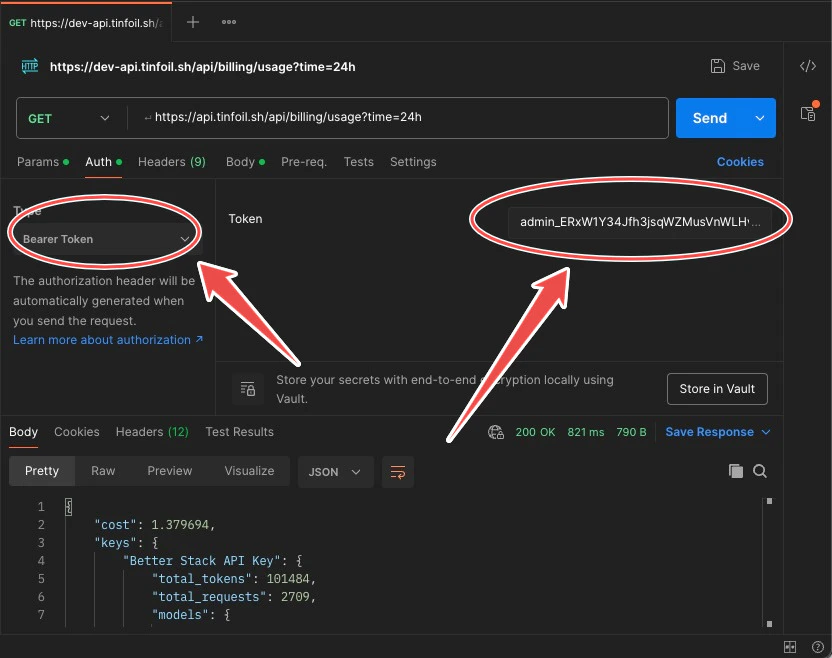
In the **Auth** tab, set the type to **Bearer Token** and paste your admin key in the **Token** field.
### Step 7: Set Bearer Token
In the **Auth** tab, set the type to **Bearer Token** and paste your admin key in the **Token** field.
 ### Step 8: Get Results
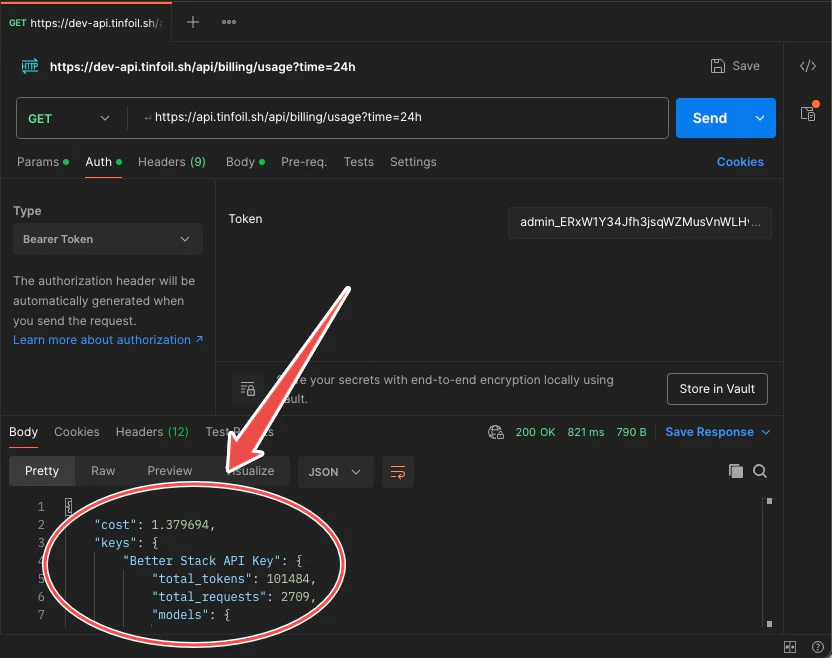
Click **Send** and verify that you get a successful response. The response body contains your usage data.
### Step 8: Get Results
Click **Send** and verify that you get a successful response. The response body contains your usage data.
 ## Admin Key Capabilities
Admin keys provide programmatic access to manage your own API keys, query usage metrics, and access billing data. When listing keys, you see all organization keys but only your own keys are returned in full -- keys created by other members are masked.
For complete documentation of available endpoints, see the [Admin API Documentation](/admin/admin-api).
## Admin Key Capabilities
Admin keys provide programmatic access to manage your own API keys, query usage metrics, and access billing data. When listing keys, you see all organization keys but only your own keys are returned in full -- keys created by other members are masked.
For complete documentation of available endpoints, see the [Admin API Documentation](/admin/admin-api).